
Download Name Generator – AI‑Powered Naming Tool for Babies, Brands, Characters & More
Overview
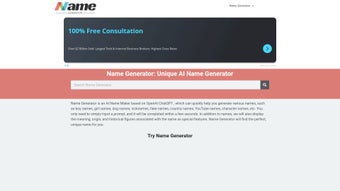
Name Generator is a cloud‑based, AI‑driven web application that helps users create distinctive, meaningful names in seconds. Built on OpenAI’s ChatGPT technology, the platform can generate names for a wide variety of scenarios—including baby names, brand identities, fictional characters, pets, YouTube channels, and even imaginary countries. What sets it apart is the combination of speed, contextual awareness, and cultural insight: each suggested name comes with a short description of its origin, linguistic roots, and any historical relevance that might appeal to the user.
The interface is intentionally minimalistic; you type a prompt, hit “Generate,” and the tool instantly returns a curated list of options. Users can refine their prompts, save favorite results to a personal collection, and share names directly via social media or email. While the service currently runs only in a web browser, its extensive catalog of naming categories and the ability to provide instant, data‑rich suggestions make it a valuable resource for both personal projects and professional branding exercises.
Key Features
- AI‑backed Generation: Leverages the latest GPT model to produce names that are creative yet context‑appropriate.
- Multiple Naming Categories: Includes dedicated generators for boy names, girl names, gender‑neutral names, brand names, pet names, country/fake names, and more.
- Origin & Meaning Insights: Each name is accompanied by a brief explanation of its etymology, cultural background, and any notable historical usage.
- Prompt Refinement: Users can tweak their input prompts (e.g., “short, modern, tech‑savvy brand name”) to steer the AI toward more tailored results.
- Save & Export: Favorite names can be bookmarked within the app and exported as a CSV or shared directly via a unique link.
- Responsive Design: Optimized for desktop browsers with a clean layout that adapts to various screen sizes.
- Secure Cloud Processing: All name generation occurs on encrypted servers, ensuring user data is protected.
- Free Tier & Premium Upgrade: Basic name generation is free, while a paid plan unlocks higher request limits, bulk export, and priority processing.
Installation & Usage Instructions
Because Name Generator is a web‑based service, there is no traditional installation process. Follow these steps to start generating names instantly:
1. Access the Platform
Open your preferred web browser (Chrome, Firefox, Edge, Safari) and navigate to the official URL: www.namegenerator.ai. The site loads within seconds thanks to lightweight front‑end code and CDN‑delivered assets.
2. Create an Account (Optional)
While you can generate a limited number of names without registering, creating a free account unlocks the ability to save favorite names, access your history, and enjoy higher daily limits. Click “Sign Up,” enter your email, set a password, and confirm via the verification link sent to your inbox.
3. Choose a Category
From the home screen, select the category that matches your need—e.g., “Baby Girl Names,” “Brand Name Generator,” or “Fantasy Country Names.” Each category comes with preset prompt suggestions to help you get started.
4. Enter Your Prompt
In the input field, type a short description of what you’re looking for. For example: “short, catchy, eco‑friendly brand name” or “classic, timeless baby boy name with a biblical feel.” The AI interprets these keywords to produce relevant suggestions.
5. Generate & Review Results
Click the “Generate” button. Within 2–5 seconds, a list of 10–15 names appears, each accompanied by a tooltip showing origin, meaning, and any notable cultural references. Hover over a name to read the details.
6. Refine or Save
If the initial list isn’t perfect, use the “Refine” option to adjust the prompt or ask for more alternatives. When you find a name you like, click the heart icon to add it to your personal collection. You can later export all saved names as a CSV file or share a direct link with collaborators.
7. Upgrade (If Needed)
Power users who require bulk generation, higher request rates, or priority AI processing can upgrade to the Premium plan via the “Upgrade” button in the dashboard. Payment is processed securely through Stripe, and the plan is billed monthly or annually.
Overall, the workflow is designed to be frictionless—no downloads, no installations, just a few clicks to obtain a curated list of names backed by AI intelligence.
Compatibility, Pros & Cons
Name Generator runs entirely in a web browser, making it compatible with any modern operating system that supports HTML5, JavaScript, and TLS encryption. This includes Windows 10/11, macOS Monterey and later, Linux distributions with up‑to‑date browsers, as well as Chrome OS. Because the service is cloud‑based, there is no need for a dedicated client application on desktop or mobile platforms.
Pros
- Instant, AI‑driven results without manual brainstorming.
- Rich contextual information (origin, meaning) for each name.
- Wide variety of categories covering personal and commercial needs.
- User‑friendly interface that requires no technical expertise.
- Secure, encrypted processing of user prompts.
- Free tier available for casual users.
Cons
- No offline mode; an internet connection is mandatory.
- Lacks dedicated mobile apps for iOS and Android.
- Customization of output format (e.g., phonetic spelling) is limited.
- Premium features require a subscription, which may be unnecessary for occasional users.
- While the AI is powerful, it may occasionally suggest names that are culturally insensitive if prompts are vague.
Overall Rating: 4.5/5 – Name Generator delivers a compelling blend of speed, creativity, and cultural insight, making it an essential tool for anyone who needs a great name fast.
Frequently Asked Questions
Is Name Generator really free to use?
Yes, the platform offers a free tier that allows up to 20 name generations per day. Users who need higher limits, bulk export, or priority processing can upgrade to a paid plan.
Can I use Name Generator for commercial branding?
Absolutely. The tool includes a dedicated “Brand Name Generator” that produces trademark‑ready suggestions. However, you should still perform a trademark search before finalizing any commercial name.
Do I need to install anything on my computer?
No installation is required. All processing happens on secure cloud servers, and you interact with the service through any modern web browser.
How secure is my data when I type a prompt?
Your prompts are transmitted over HTTPS and processed in an isolated environment. Name Generator does not store personal data beyond what is needed for your account and saved name collections.
Will there be a mobile app in the future?
The development team has announced plans for native iOS and Android apps, but no release date has been set yet. In the meantime, the responsive web design works well on most smartphones.
Conclusion & Call to Action
Name Generator bridges the gap between creative brainstorming and data‑driven naming. Its AI core, enriched with cultural context, provides fast, reliable suggestions for everything from newborns to startup brands. While the lack of an offline version and dedicated mobile apps may be a drawback for some power users, the tool’s ease of use, security, and free entry point make it a top choice for anyone facing a naming challenge. Ready to discover the perfect name? Visit Name Generator now, create an account, and start generating unique, meaningful names in seconds.






